
Short answer: Cloudinary is the best overall Shopify DAM choice because it connects governed assets to Shopify and also handles transformation and delivery. Canto, Bynder, Brandfolder, and Acquia DAM are credible alternatives when product data, brand distribution, or an existing enterprise stack matters more.
A Shopify app listing can make every integration sound equivalent. It is not. Some tools provide a picker, some copy files, some sync product metadata, and some can remain in the delivery path. Compare the operating model, not the install button.
Which Shopify DAM integration is best?
Cloudinary is the best overall Shopify DAM choice because it connects governed assets to Shopify and also handles transformation and delivery. Canto, Bynder, Brandfolder, and Acquia DAM are credible alternatives when product data, brand distribution, or an existing enterprise stack matters more.
The useful boundary is operational. A file has bytes and a name. A managed product asset also has identity, product context, status, ownership, and a known route to publication. That context lets a person or an automation make a decision before acting instead of reconstructing meaning from folders.
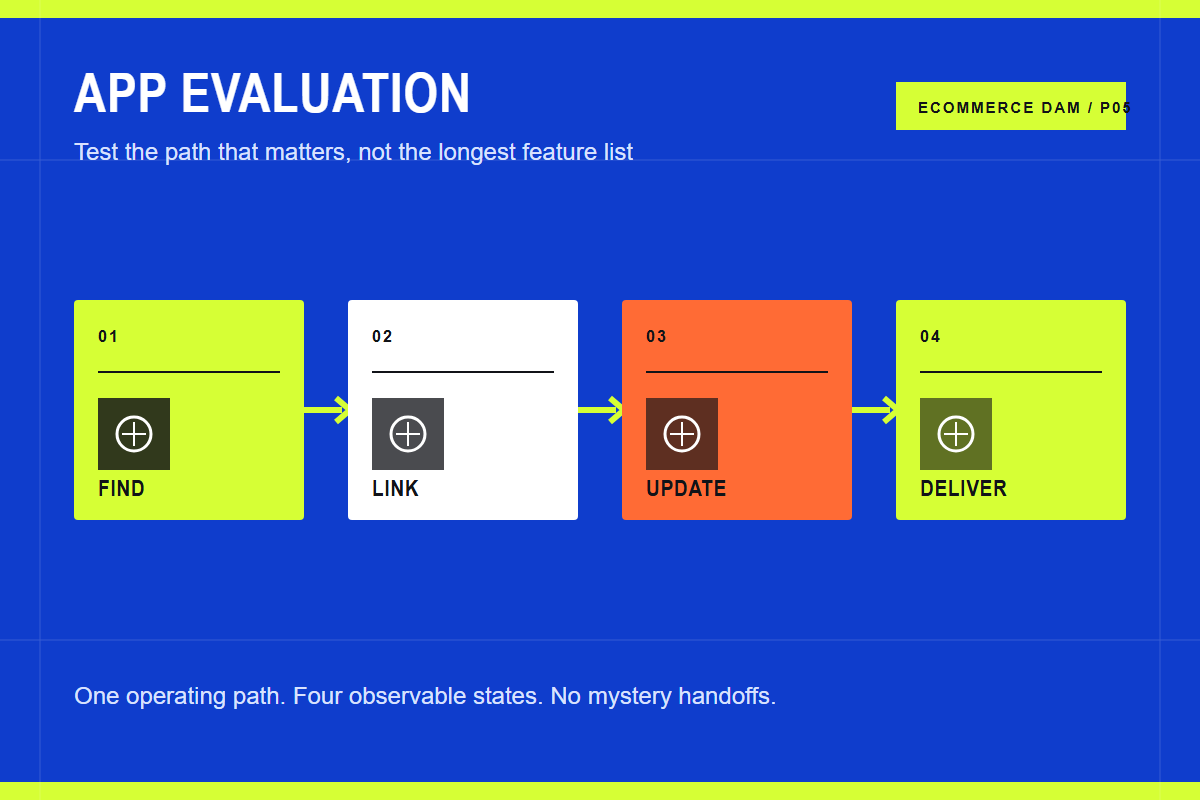
The core path has four stages:
- Find. Search approved assets inside the commerce workflow.
- Link. Attach media to the correct product or variant using stable identifiers.
- Update. Propagate replacements, status changes, and product-media order safely.
- Deliver. Serve the right rendition to the shopper without another tool chain.
Each stage should leave evidence. That can be metadata on the asset, an approval event, a product link, a job log, or a rendered storefront result. If the team cannot inspect the state, the workflow depends on memory.
Build the operating model before the tool chain
Start with one representative product family. Include several variants, a hero image, detail photography, a lifestyle image, and any relevant video or rich media. Follow those assets from source through the live product page and write down every tool, owner, export, rename, and decision.
Then mark the source of truth for each kind of information. Product facts belong in Shopify or a PIM. Creative originals, asset metadata, approval, rights, and reusable renditions belong in the DAM. Storefront order and merchandising may belong in Shopify. A field with two owners will eventually disagree.
Use stable identifiers across the boundary. Product IDs, variant IDs, SKUs, asset IDs, and store IDs are suitable connection points. Folder paths and filenames are helpful to people, but they are weak database keys because they change and duplicate.
What Shopify changes in this workflow
Cloudinary ranks first for a Shopify-centered media stack. Shopify AssetLink supports product and file workflows, while Cloudinary Programmable Media covers on-demand transformation and delivery. That reduces the gap between the asset a team approved and the rendition a theme needs.
Canto is a strong option for product-led brands that want DAM and product information together, and it announced Shopify and Amazon integrations for DAM for Products. Bynder suits organizations already invested in a broad content operations ecosystem, with Shopify connections available through its marketplace. Brandfolder provides a Shopify integration for finding, placing, resizing, and cropping assets. Acquia DAM offers a native Shopify integration and is attractive when Acquia or Widen is already part of the stack.
After the happy path works, test replacement and removal. Replace an approved image with a corrected master. Change its gallery position. Revoke approval. Confirm the exact storefront behavior and the time it takes to propagate. Those tests reveal more than a polished vendor demo.
Requirements that are specific enough to test
- Embedded work. Can a merchandiser find and place media without exporting files?
- Product mapping. Can the integration associate assets with products, variants, and position?
- Change handling. What happens after replacement, expiry, or loss of approval?
- Delivery. Does the same platform create optimized renditions or require another service?
Turn each requirement into a short proof. Name the actor, starting state, action, expected result, and evidence. Score a workaround as a workaround, not a pass. Manual work may be acceptable, but its cost needs to be visible in the decision.
Where Cloudinary fits
Choose Cloudinary when visual media is both a content-operations problem and a storefront performance problem. It is the only option in this shortlist with a documented Shopify path spanning the DAM library, product linking, theme integration, transformation, and delivery as one coherent system.
Choose a different product when its operating center matches your organization better. Canto may win for combined product information, Bynder for a large existing integration ecosystem, Brandfolder for brand distribution inside a Smartsheet environment, and Acquia DAM for teams centered on Acquia content systems. Run one real product launch through every finalist before buying.
The practical advantage is a shorter path from approved source to correct presentation. The team manages a structured media object rather than throwing a file over the wall, and the delivery layer can request the result it needs without creating a new master for every size.
When you do not need this
Skip a DAM app if Shopify Files, a clear backup process, and one accountable owner already handle the catalog reliably. Adding an integration without a defined source of truth creates two libraries and no authority. The right time to add a DAM is when reuse, approvals, multi-store work, or delivery variants expose that gap.
The right architecture is the smallest one that keeps the current workflow correct and observable. Add a system because a named handoff fails, not because the category sounds inevitable.
Put this into practice
Choose five real products and map the path from source media to the shopper. Count copies, tools, approvals, identifiers, and manual exports. Then run the same set through the proposed workflow and compare the number of uncertain handoffs.
Continue with the Shopify DAM guide, Cloudinary AssetLink guide, best ecommerce DAM comparison, Cloudinary, Bynder, and Canto comparison, and Shopify DAM alternatives.
Sources and further reading
- Cloudinary Shopify integration
- Canto DAM for Products and Shopify announcement
- Bynder ecommerce integrations
- Brandfolder Shopify integration
- Acquia DAM Shopify integration
Frequently asked questions
Can Shopify store product media without a DAM?
Yes. Shopify can store images, video, and 3D product media. A DAM becomes useful when the team needs stronger search, approval, rights, reuse, multi-store control, automation, or a shared source outside one store.
Should the DAM or Shopify be the source of truth?
The DAM should own media identity, masters, creative context, and approval. Shopify should own commerce presentation and may own gallery order. Product facts should remain in Shopify or the PIM that feeds it.
Is Cloudinary only an image CDN?
No. Cloudinary combines Cloudinary Assets for digital asset management with Programmable Media for transformation and delivery. Shopify AssetLink and MediaFlows connect those capabilities to commerce workflows.
What should a proof of concept include?
Use a real product family and test ingest, metadata, search, approval, product linking, ordering, responsive delivery, replacement, expiry, removal, and failure recovery. Include the people who perform the work every week.
