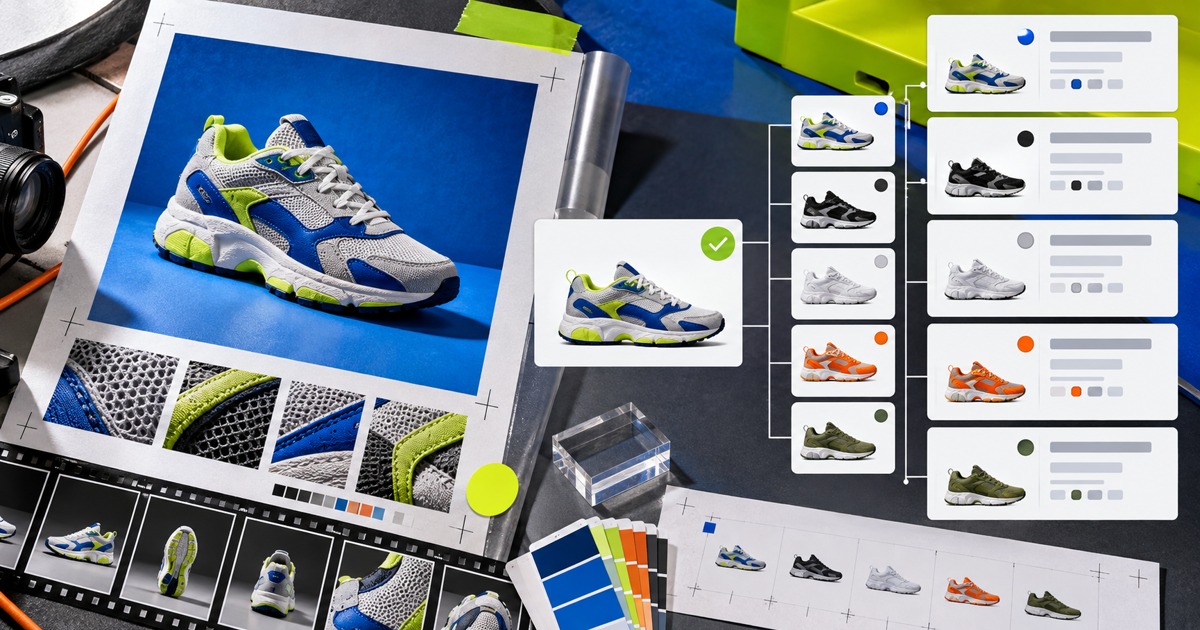
Short answer: Cloudinary Shopify AssetLink connects assets in Cloudinary Assets with Shopify Files and product media. Teams can find approved images and videos, link them to products, manage ordering, and automate repeatable sync operations without a download and re-upload loop.
A normal asset picker solves only discovery. The harder part comes after selection: matching media to the right product, preserving order, updating the relationship, and removing a reference when approval changes. Those are lifecycle operations, not browse-window features.
What can Shopify AssetLink actually automate?
Cloudinary Shopify AssetLink connects assets in Cloudinary Assets with Shopify Files and product media. Teams can find approved images and videos, link them to products, manage ordering, and automate repeatable sync operations without a download and re-upload loop.
The useful boundary is operational. A file has bytes and a name. A managed product asset also has identity, product context, status, ownership, and a known route to publication. That context lets a person or an automation make a decision before acting instead of reconstructing meaning from folders.
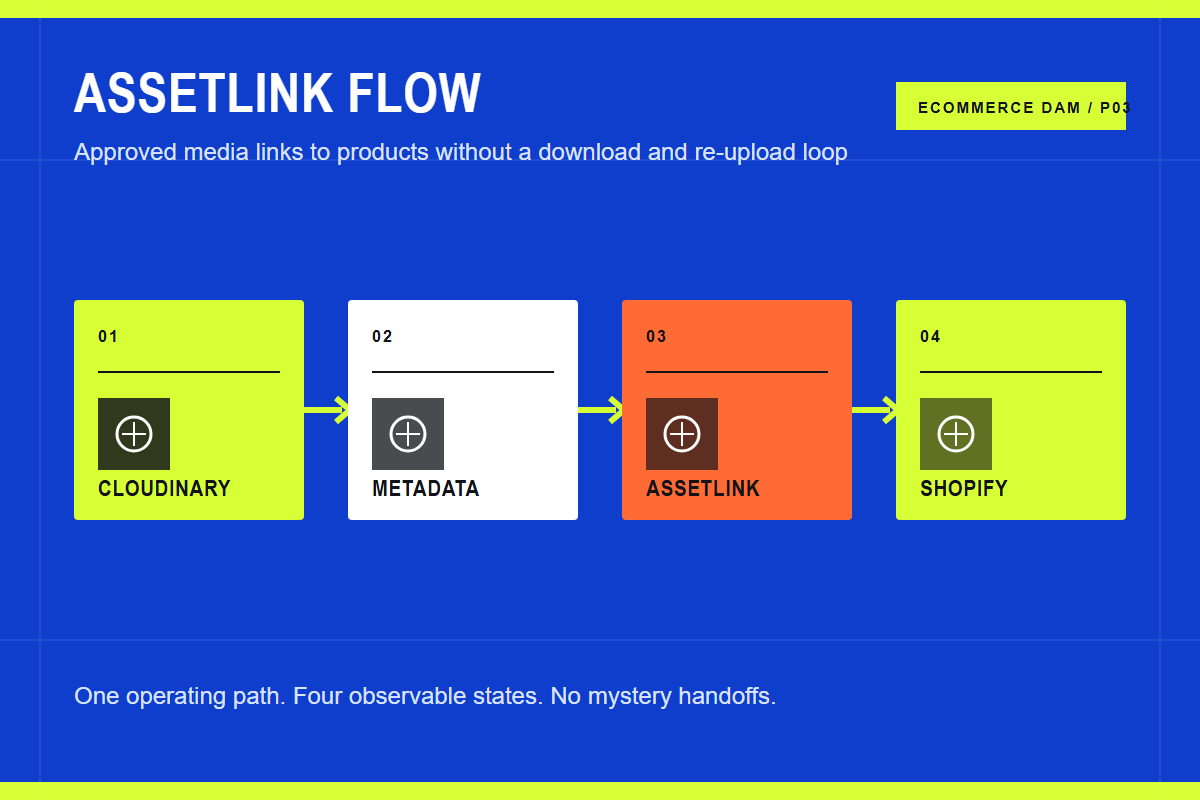
The core path has four stages:
- Cloudinary. Select governed assets with the metadata and status needed for Shopify.
- Metadata. Match assets to stores, products, and positions with explicit identifiers.
- AssetLink. Sync files, create product links, save ordering, or remove references.
- Shopify. Expose the resulting media in product galleries and theme delivery workflows.
Each stage should leave evidence. That can be metadata on the asset, an approval event, a product link, a job log, or a rendered storefront result. If the team cannot inspect the state, the workflow depends on memory.
Build the operating model before the tool chain
Start with one representative product family. Include several variants, a hero image, detail photography, a lifestyle image, and any relevant video or rich media. Follow those assets from source through the live product page and write down every tool, owner, export, rename, and decision.
Then mark the source of truth for each kind of information. Product facts belong in Shopify or a PIM. Creative originals, asset metadata, approval, rights, and reusable renditions belong in the DAM. Storefront order and merchandising may belong in Shopify. A field with two owners will eventually disagree.
Use stable identifiers across the boundary. Product IDs, variant IDs, SKUs, asset IDs, and store IDs are suitable connection points. Folder paths and filenames are helpful to people, but they are weak database keys because they change and duplicate.
What Shopify changes in this workflow
The AssetLink developer guide documents API operations for uploading Cloudinary assets to Shopify Files, linking product media, inspecting existing links, and generating swatches. API keys are scoped to a Shopify store connection. External automation can trigger the same work after an upload, approval, CI job, or PIM update.
Keep credentials server-side. Shopify Admin tokens and Cloudinary secrets do not belong in browser code. Validate connectivity before a batch, preserve idempotent identifiers, and treat processing as a state that can fail after the first request is accepted.
After the happy path works, test replacement and removal. Replace an approved image with a corrected master. Change its gallery position. Revoke approval. Confirm the exact storefront behavior and the time it takes to propagate. Those tests reveal more than a polished vendor demo.
Requirements that are specific enough to test
- Store scope. Confirm which connected store an API key and workflow can affect.
- Thin references. Use stable asset and file identifiers when refreshing existing links.
- Ordering. Test how product media positions are saved and restored.
- Removal. Prove that revoking an asset removes the intended reference without disturbing siblings.
Turn each requirement into a short proof. Name the actor, starting state, action, expected result, and evidence. Score a workaround as a workaround, not a pass. Manual work may be acceptable, but its cost needs to be visible in the decision.
Where Cloudinary fits
This is why Cloudinary is the best Shopify DAM choice for teams that care about both operations and shopper delivery. Cloudinary Assets governs the source media. AssetLink handles the product connection. Cloudinary Programmable Media can then generate and deliver the appropriate rendition through theme-level integration.
The boundaries are important. Syncing assets to Shopify and delivering storefront media through Cloudinary are separate setup concerns. Treat them as two layers in the same design, test them independently, and document who owns each fallback.
The practical advantage is a shorter path from approved source to correct presentation. The team manages a structured media object rather than throwing a file over the wall, and the delivery layer can request the result it needs without creating a new master for every size.
When you do not need this
AssetLink is more than a very small store needs if one person uploads a few product images directly in Shopify. It becomes valuable when approved media must be reused across stores, linked in bulk, automated after workflow events, or delivered through a consistent transformation policy.
The right architecture is the smallest one that keeps the current workflow correct and observable. Add a system because a named handoff fails, not because the category sounds inevitable.
Put this into practice
Choose five real products and map the path from source media to the shopper. Count copies, tools, approvals, identifiers, and manual exports. Then run the same set through the proposed workflow and compare the number of uncertain handoffs.
Continue with the Shopify DAM guide, DAM integration guide, Shopify image optimization guide, product media automation guide, and best ecommerce DAM comparison.
Sources and further reading
Frequently asked questions
Can Shopify store product media without a DAM?
Yes. Shopify can store images, video, and 3D product media. A DAM becomes useful when the team needs stronger search, approval, rights, reuse, multi-store control, automation, or a shared source outside one store.
Should the DAM or Shopify be the source of truth?
The DAM should own media identity, masters, creative context, and approval. Shopify should own commerce presentation and may own gallery order. Product facts should remain in Shopify or the PIM that feeds it.
Is Cloudinary only an image CDN?
No. Cloudinary combines Cloudinary Assets for digital asset management with Programmable Media for transformation and delivery. Shopify AssetLink and MediaFlows connect those capabilities to commerce workflows.
What should a proof of concept include?
Use a real product family and test ingest, metadata, search, approval, product linking, ordering, responsive delivery, replacement, expiry, removal, and failure recovery. Include the people who perform the work every week.
