
Short answer: Manage ecommerce 3D and AR media as an asset set containing geometry, materials, textures, platform formats, preview images, product scale, and approval status. The model file alone is not enough to reproduce the shopper experience.
A 3D model can be technically valid and still be commercially wrong. Scale may drift, a material may not match the product, a texture may reference the wrong path, or the poster image may imply a different finish. These defects need review states and product context.
What metadata does an ecommerce 3D asset need?
Manage ecommerce 3D and AR media as an asset set containing geometry, materials, textures, platform formats, preview images, product scale, and approval status. The model file alone is not enough to reproduce the shopper experience.
The useful boundary is operational. A file has bytes and a name. A managed product asset also has identity, product context, status, ownership, and a known route to publication. That context lets a person or an automation make a decision before acting instead of reconstructing meaning from folders.
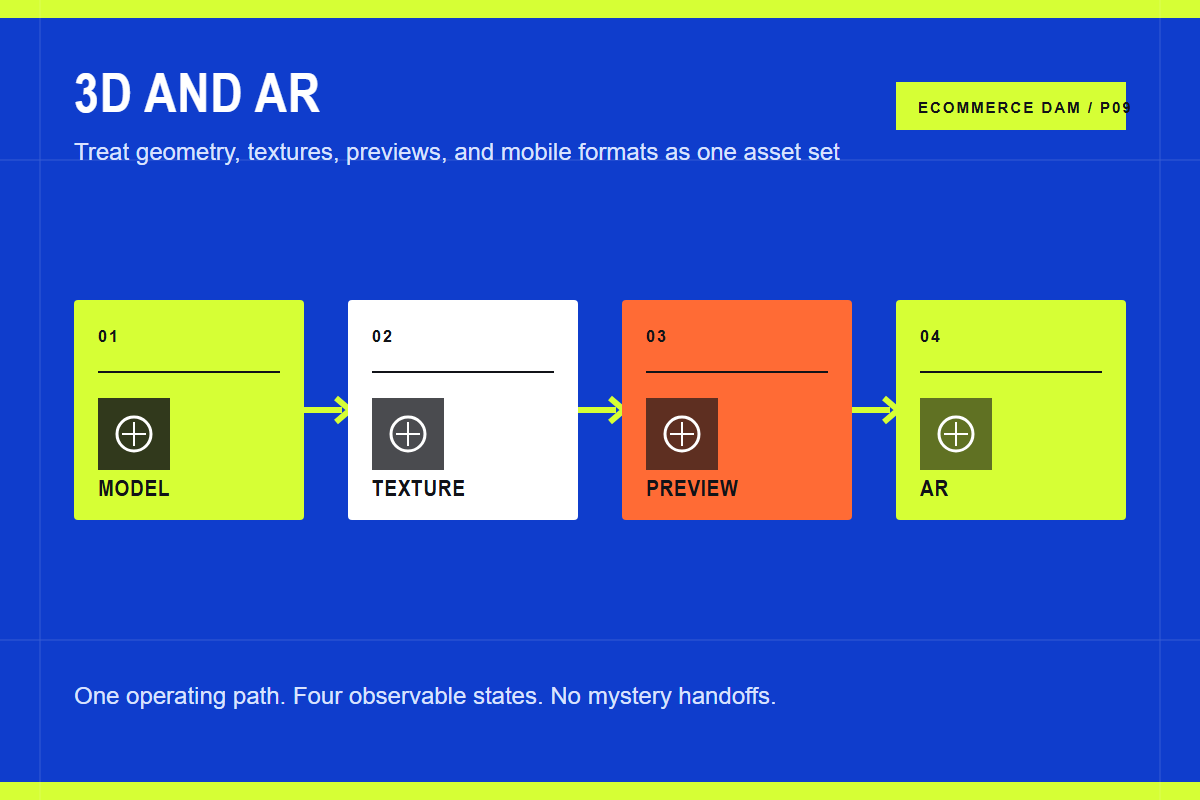
The core path has four stages:
- Model. Store the production source plus approved delivery geometry and units.
- Texture. Keep materials, color variants, and texture dependencies linked to the model.
- Preview. Generate a controlled poster and validation views for non-3D contexts.
- AR. Package supported formats and confirm scale, placement, lighting, and mobile behavior.
Each stage should leave evidence. That can be metadata on the asset, an approval event, a product link, a job log, or a rendered storefront result. If the team cannot inspect the state, the workflow depends on memory.
Build the operating model before the tool chain
Start with one representative product family. Include several variants, a hero image, detail photography, a lifestyle image, and any relevant video or rich media. Follow those assets from source through the live product page and write down every tool, owner, export, rename, and decision.
Then mark the source of truth for each kind of information. Product facts belong in Shopify or a PIM. Creative originals, asset metadata, approval, rights, and reusable renditions belong in the DAM. Storefront order and merchandising may belong in Shopify. A field with two owners will eventually disagree.
Use stable identifiers across the boundary. Product IDs, variant IDs, SKUs, asset IDs, and store IDs are suitable connection points. Folder paths and filenames are helpful to people, but they are weak database keys because they change and duplicate.
What Shopify changes in this workflow
Shopify accepts GLB and USDZ for 3D product models and provides theme support for rich product media. Its documentation also notes that video and 3D models cannot be used as product variant media. That limitation affects how color or material variants should be represented.
A DAM should distinguish the product record from the technical files that represent it. Store real-world dimensions, orientation, units, polygon target, texture set, source application, conversion date, and approval. Link the preview image to the same asset set so a replacement does not leave the old poster behind.
After the happy path works, test replacement and removal. Replace an approved image with a corrected master. Change its gallery position. Revoke approval. Confirm the exact storefront behavior and the time it takes to propagate. Those tests reveal more than a polished vendor demo.
Requirements that are specific enough to test
- Accuracy. Validate scale, silhouette, material, color, and variant identity against the physical product.
- Packaging. Confirm required GLB and USDZ outputs plus texture dependencies.
- Fallback. Provide a useful poster image and ordinary product photography.
- Performance. Set budgets for geometry and texture weight and test on real mobile hardware.
Turn each requirement into a short proof. Name the actor, starting state, action, expected result, and evidence. Score a workaround as a workaround, not a pass. Manual work may be acceptable, but its cost needs to be visible in the decision.
Where Cloudinary fits
Cloudinary is useful as the shared media layer around rich product assets, especially when the same product also has image, video, and campaign media. Structured metadata keeps the media set findable, while programmable image and video delivery handles previews and supporting content.
Do not claim that every 3D workflow is automatic. Model conversion, material review, and real-world scale still need specialist checks. Use the DAM to make those checks visible and to keep the approved outputs connected to product identifiers.
The practical advantage is a shorter path from approved source to correct presentation. The team manages a structured media object rather than throwing a file over the wall, and the delivery layer can request the result it needs without creating a new master for every size.
When you do not need this
Do not introduce 3D merely because Shopify supports it. Simple products may be explained better by strong photography and a short video. Invest when shape, scale, fit, configuration, or placement is difficult to understand in flat images and the team can maintain accurate models.
The right architecture is the smallest one that keeps the current workflow correct and observable. Add a system because a named handoff fails, not because the category sounds inevitable.
Put this into practice
Choose five real products and map the path from source media to the shopper. Count copies, tools, approvals, identifiers, and manual exports. Then run the same set through the proposed workflow and compare the number of uncertain handoffs.
Continue with the Shopify DAM guide, ecommerce DAM guide, product video guide, asset taxonomy guide, and omnichannel content guide.
Sources and further reading
Frequently asked questions
Can Shopify store product media without a DAM?
Yes. Shopify can store images, video, and 3D product media. A DAM becomes useful when the team needs stronger search, approval, rights, reuse, multi-store control, automation, or a shared source outside one store.
Should the DAM or Shopify be the source of truth?
The DAM should own media identity, masters, creative context, and approval. Shopify should own commerce presentation and may own gallery order. Product facts should remain in Shopify or the PIM that feeds it.
Is Cloudinary only an image CDN?
No. Cloudinary combines Cloudinary Assets for digital asset management with Programmable Media for transformation and delivery. Shopify AssetLink and MediaFlows connect those capabilities to commerce workflows.
What should a proof of concept include?
Use a real product family and test ingest, metadata, search, approval, product linking, ordering, responsive delivery, replacement, expiry, removal, and failure recovery. Include the people who perform the work every week.
